How to make a scan-to-pay QR sign
A QR code by your table lets people pay from their phone. The code has to open your real payment page, keep working, and be tested before the show.
Free trial exports are stamped SAMPLE. The paid edition is sold on Payhip and Etsy.
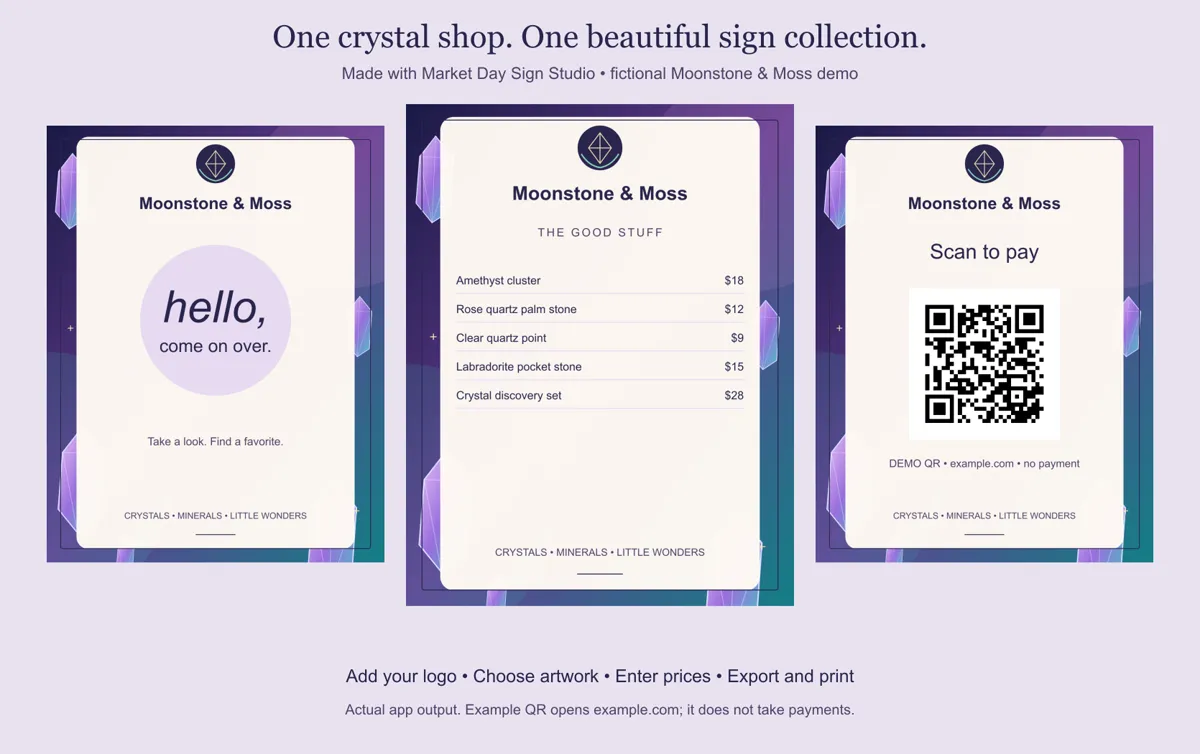
1. Get your own payment link
Copy the full https:// link to your payment page from Venmo, Cash App, PayPal, Square or your shop. Paste it into the Payment link field. The link must start with https:// and be 220 characters or fewer.
2. Add a clear instruction
Under the code, write what happens: "Scan to pay with Venmo" or "Scan to open our payment page". Up to 44 characters.
3. Scan-test before you print
Open your phone camera, scan the code on screen, and confirm it opens the right account. Then scan the printed sign too. Do this every time you change the link.
Why a static QR matters
Many online QR makers point your code at their own redirect link and charge a monthly fee to keep it working. The QR codes here contain your link directly. There is no middle service to stop paying for; the sign works for as long as your own payment link does.
What it does not do
The sign opens your payment page. It does not process payments, confirm that someone paid, or track scans. Check your payment app to confirm each sale.
Good to know
- It is a fixed-layout sign maker, not a drag-and-drop design editor.
- QR signs open links you supply. The app does not process payments, host redirects or track scans. Scan-test every QR before printing.
- Open the downloaded file in a desktop browser. The free trial works on phones for a look, but exporting is easiest on a computer.
- No promise of increased sales.
Questions
Will my QR code stop working if I stop paying?
No. There is no subscription. The QR holds your own link, so it keeps working as long as that link does.
Can I add a QR for Instagram too?
Yes. The Website or social link field makes a matching "Stay in touch" QR sign.
Is it really $9.99 once?
Yes. You pay once for lifetime use of the version you download, for one business. No subscription, no account, no activation check. Future updates and hosting are not included.
Do my prices and logo get uploaded?
Not with the download. The downloaded editor runs from a file on your computer and works with the internet off. Your names, prices, logos and QR links stay on your machine. The free browser trial also processes everything in the page, with no data collection endpoint.
How do I print?
Export PNG (150 pixels per inch) or SVG, or use Print all signs / save PDF. Choose US Letter, A4 or 5 × 7. Print at home, or take the PDF to FedEx Office, The UPS Store or a local print shop. Printing costs extra.
Make your set today
Try the full editor free in your browser, then get the offline edition for $9.99 once. One business, lifetime use of the version you download, no subscription.
Free trial exports are stamped SAMPLE. The paid edition is sold on Payhip and Etsy.